Plex and IPTV in one app
Your films and series live on your Plex server; your live channels come from an IPTV provider. Interlace shows both in one place — a live TV alternative that sits right next to your Plex library instead of in a second app.

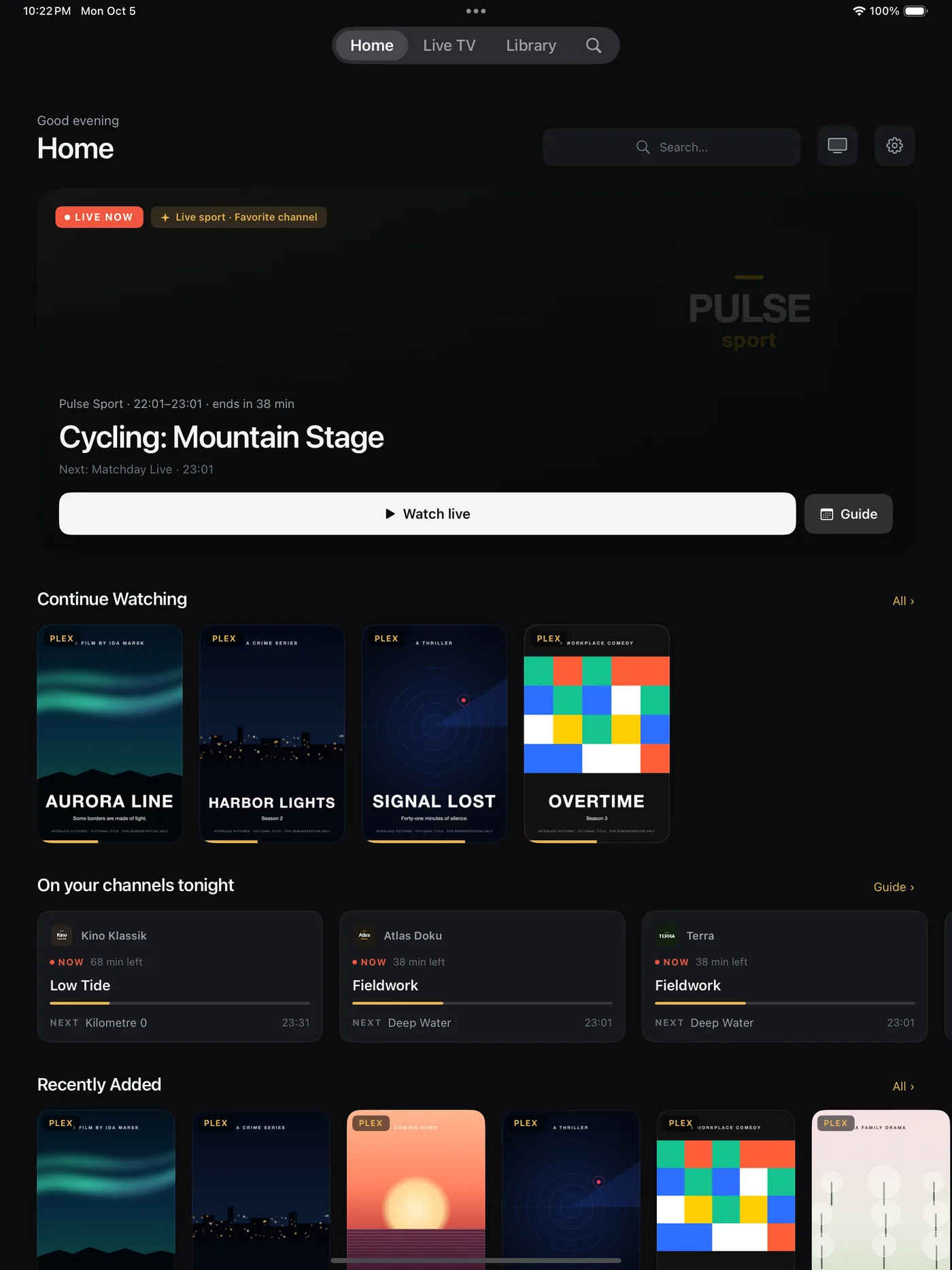
How the two sit together
- One Home. Continue Watching from Plex next to On your channels tonight and Live Now from your guide. Arrange the rows under Settings › Home screen.
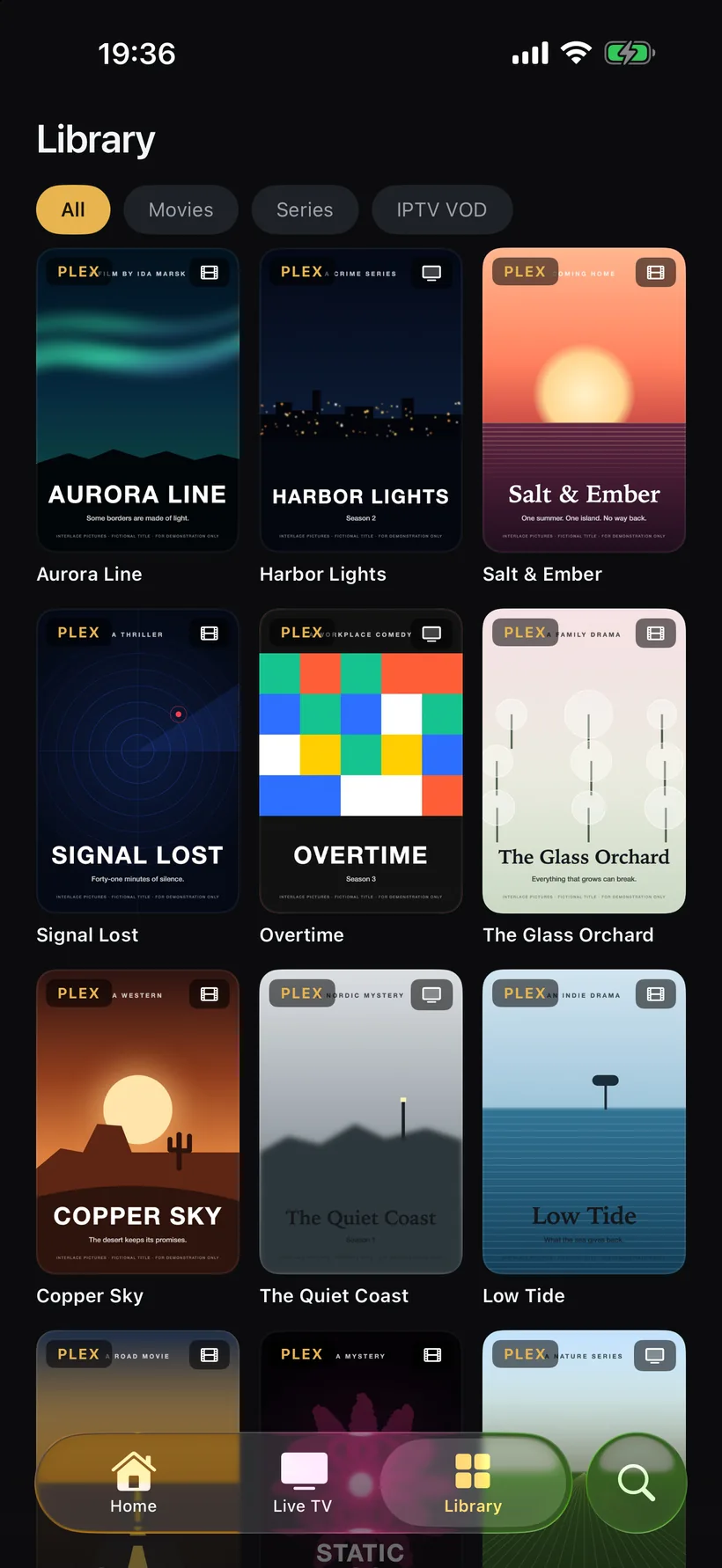
- One Library. Plex films and series plus your provider’s on-demand catalogue, filtered by All, Movies, Series and IPTV VOD. When a provider film matches one in Plex by title and year, it appears once.
- One search. Titles and channels in the same results; Live TV searches Channels & programmes.
- One player. Plex titles and live channels play in the same player, with audio and subtitle tracks a tap away. Watch state stays in sync with Plex.
- One remote. Pick your Apple TV under Play on and the iPhone becomes the remote.
Set it up
- Install Interlace and tap “Sign in with Plex”. Enter the code at plex.tv/link; Interlace connects to your Plex Media Server.
- On “Add your own IPTV”, choose “M3U URL” or “Xtream Codes” and fill in what your provider gave you. Tap “Connect”.
- Optional: “Connect Seerr” to request films and series through Overseerr or Jellyseerr — or tap “Skip for now”.
- Tap “Enter Interlace”.
- On Apple TV, choose “Sync from iCloud” to bring the same setup over.
Interlace doesn’t provide any channels — you bring your own IPTV provider and playlist. Step-by-step help: M3U playlist on Apple TV, Xtream Codes login, programme guide.
FAQ
01Do I need a Plex Pass?
Not for Interlace. Plex requires a Plex Pass on the server or a Remote Watch Pass for streaming outside your home network; at home it isn’t needed.
02Does IPTV go through my Plex server?
No. Interlace plays your channels directly from your IPTV provider; your Plex server isn’t involved.
03Can I hide the provider’s films and series?
Yes. Switch off “Video-on-demand” in Settings › IPTV. Live TV is not affected.
04Can I use only one of the two?
Neither — both are optional. Set up Plex, IPTV or both; skip the one you don't use and add it later under Settings.
One app for what you own and what’s on.
Free for 14 days. Then 14,99 € a year or 39,99 € once — one purchase for iPhone, iPad, Apple TV and Mac, Family Sharing included.