Your Plex library and IPTV, woven into one.
Interlace plays your Plex, Jellyfin or Emby server and your IPTV channels — together or on their own — in a single, quiet interface — with a proper programme guide, a player that handles every file, and nothing in between you and the picture.

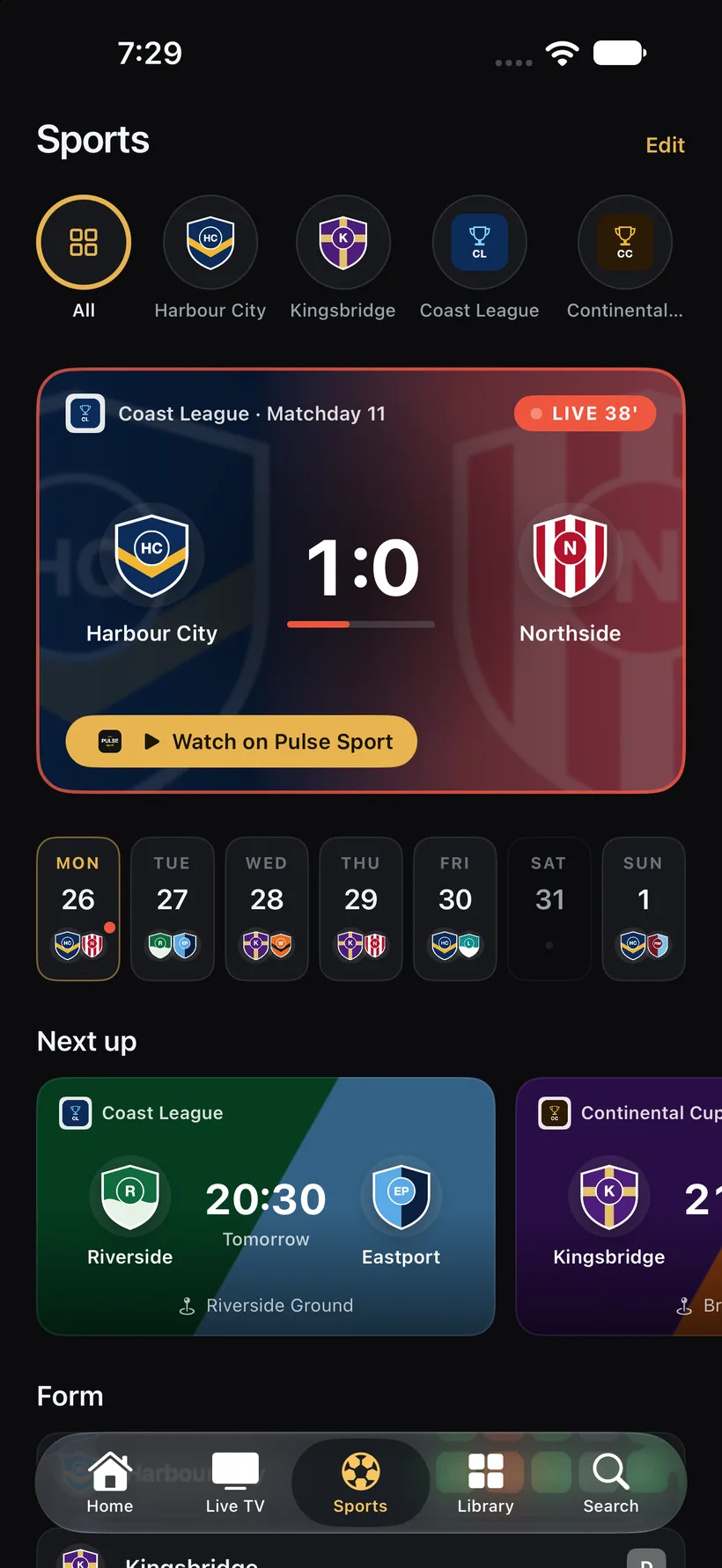
Your club, live.
Out now on iPhone, iPad and Apple TV as a free update; the Mac follows shortly.
Sports
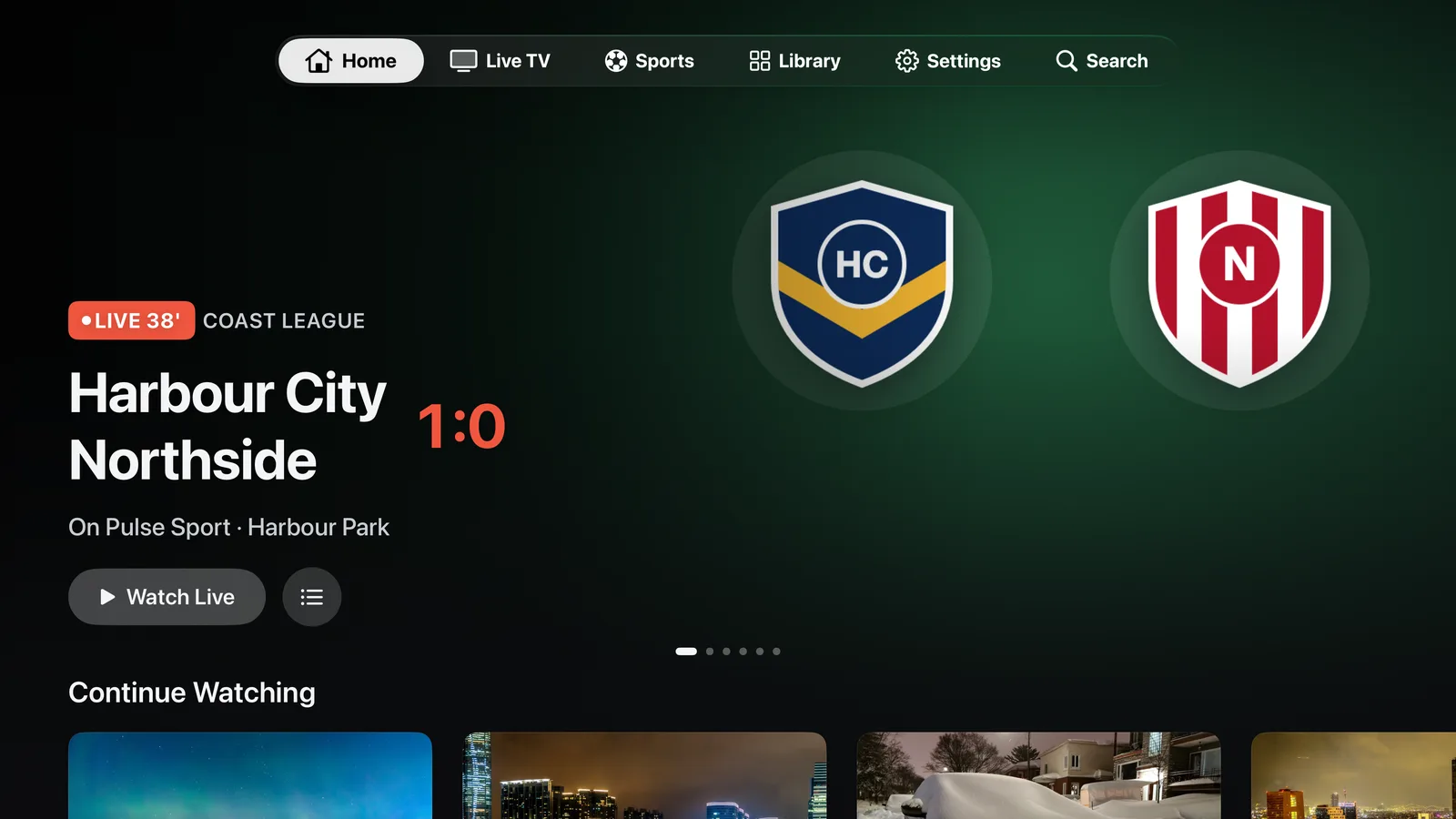
Follow your football clubs and competitions. The Sports tab shows the match that is on now with the live score, the coming week day by day, your club's form and its latest results. When one of your IPTV channels shows the match, Interlace finds it in the guide and plays it with one tap, channels in your own language first. Your matches also appear on Home and in Live TV.
Also new
Subtitles from OpenSubtitles
A film without the subtitles you want? Search OpenSubtitles from the player or let Interlace fetch them in your languages automatically.
Favourite films and series
Tap the heart on any title and find it again under Favorites in the Library, on every device.
Recently watched everywhere
What you watched on one device shows up on the others, so you can carry on from the sofa, the train or the desk.
Quality per network
Choose the streaming quality separately for home, away and mobile data.
Clearer player menus
Subtitles, audio, quality and info in one consistent sheet, with language names and labelled controls.
Tidier downloads
Films and series apart, episodes grouped under their show, with artwork that stays available offline.
Two sources, one row of pictures.
Interlacing is how television has always built a picture: two fields, drawn in turn, seen as one. Interlace does the same with what you own and what is on air — a Plex library and a live guide in the same rails, the same search, the same player.
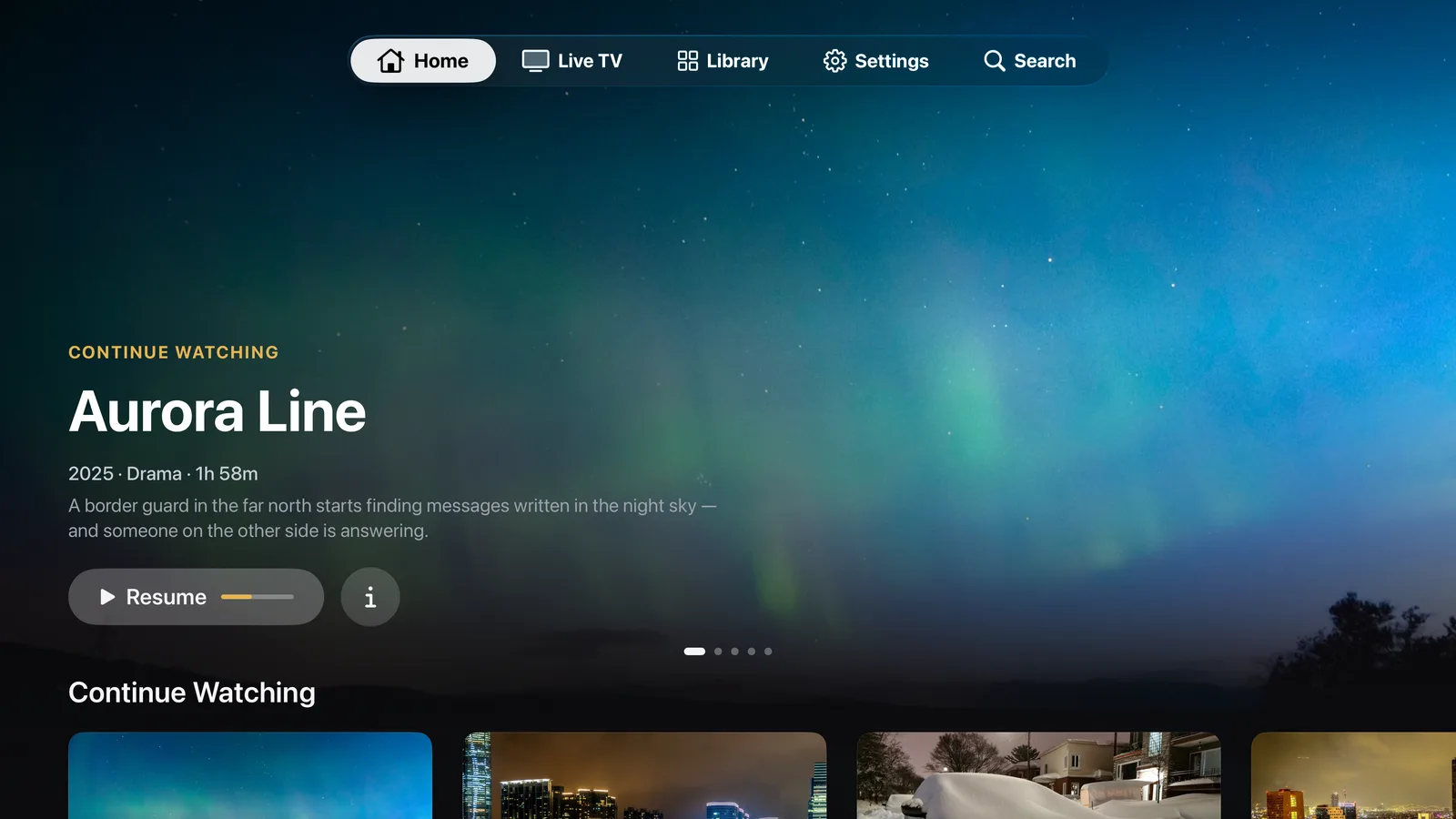
One home for everything
Continue watching from your Plex server sits next to what is on TV right now. Rails, not silos — on the phone, the tablet and the television.
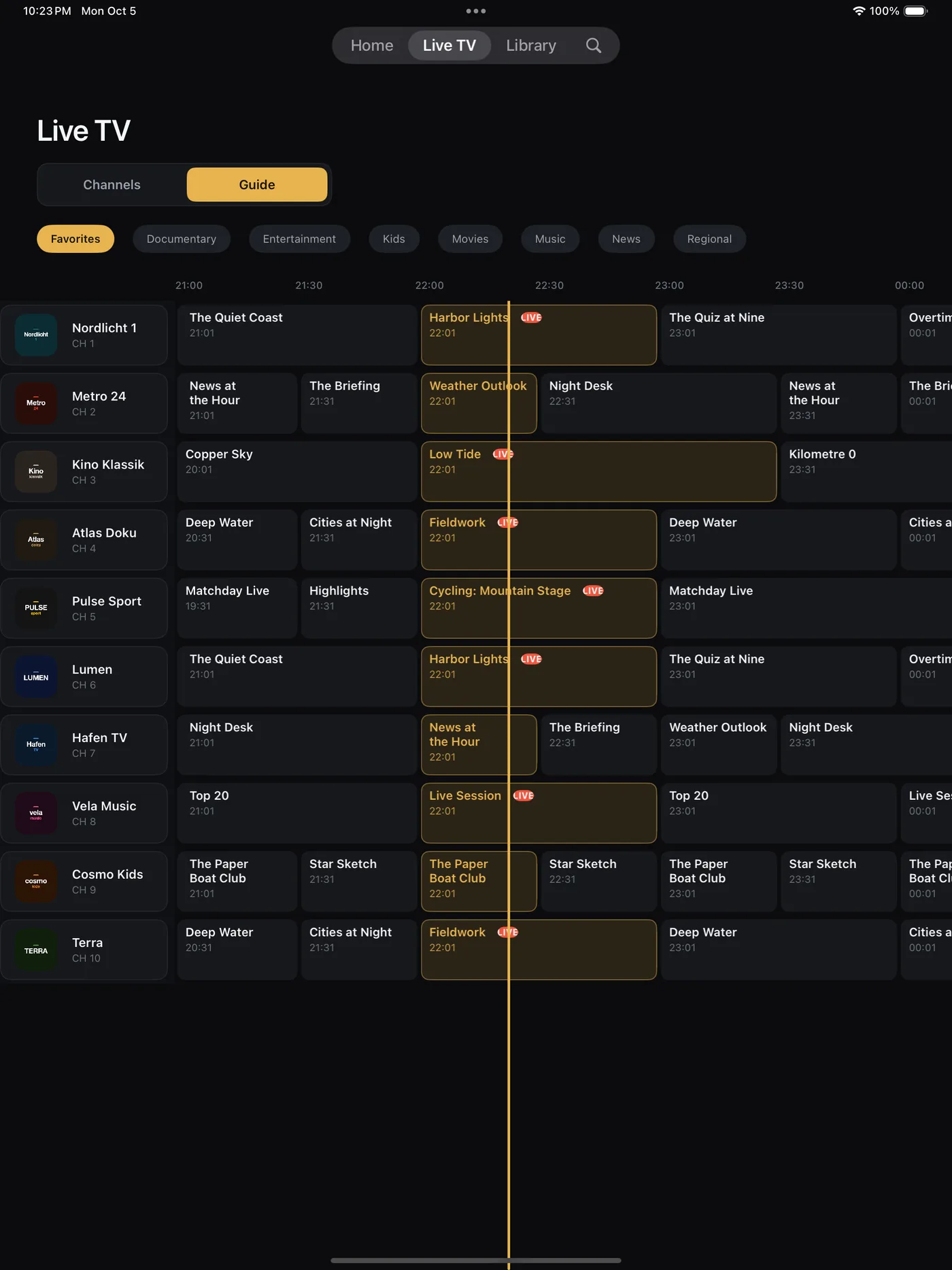
A programme guide that knows your library
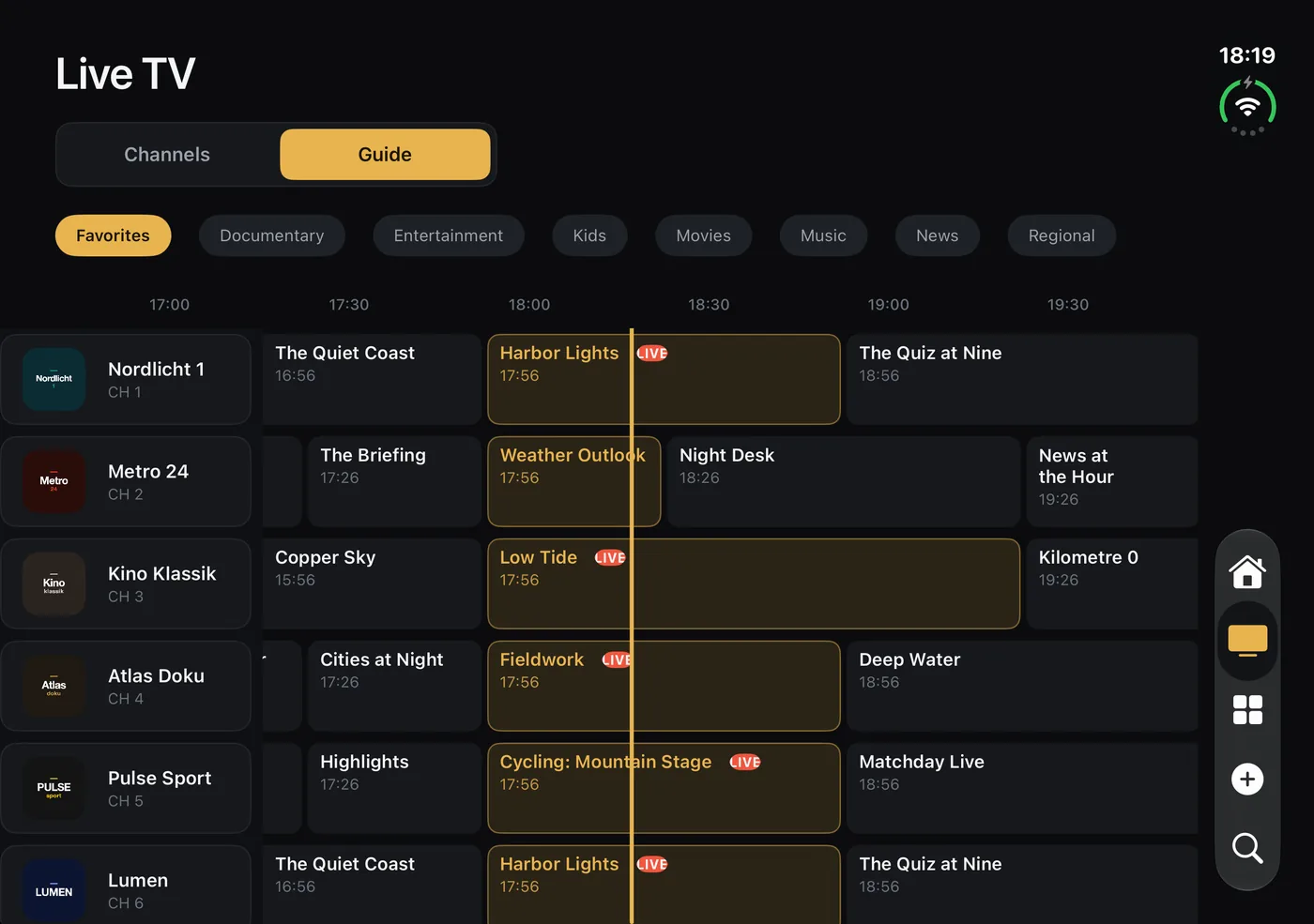
Group your provider's channels, pin favourites, and read the guide the way a TV guide should read: now, next, tonight.
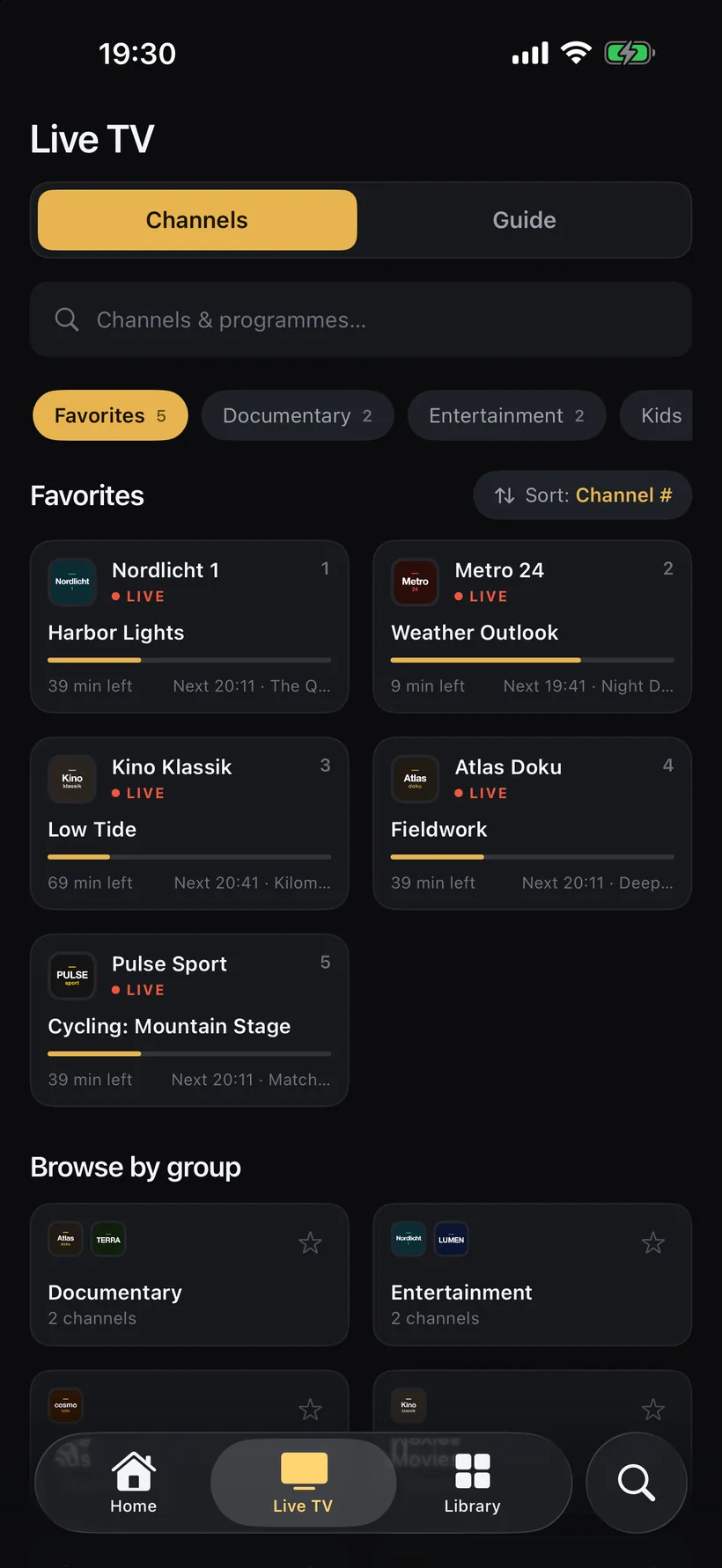
Plays what Plex struggles with
Direct play for MKV, TS, DTS and 7.1 through the built-in FFmpeg engine, with image and text subtitles rendered on the device — no transcoding on your server. Live channels get the same player, with audio and subtitle tracks a tap away.
Made for the living room
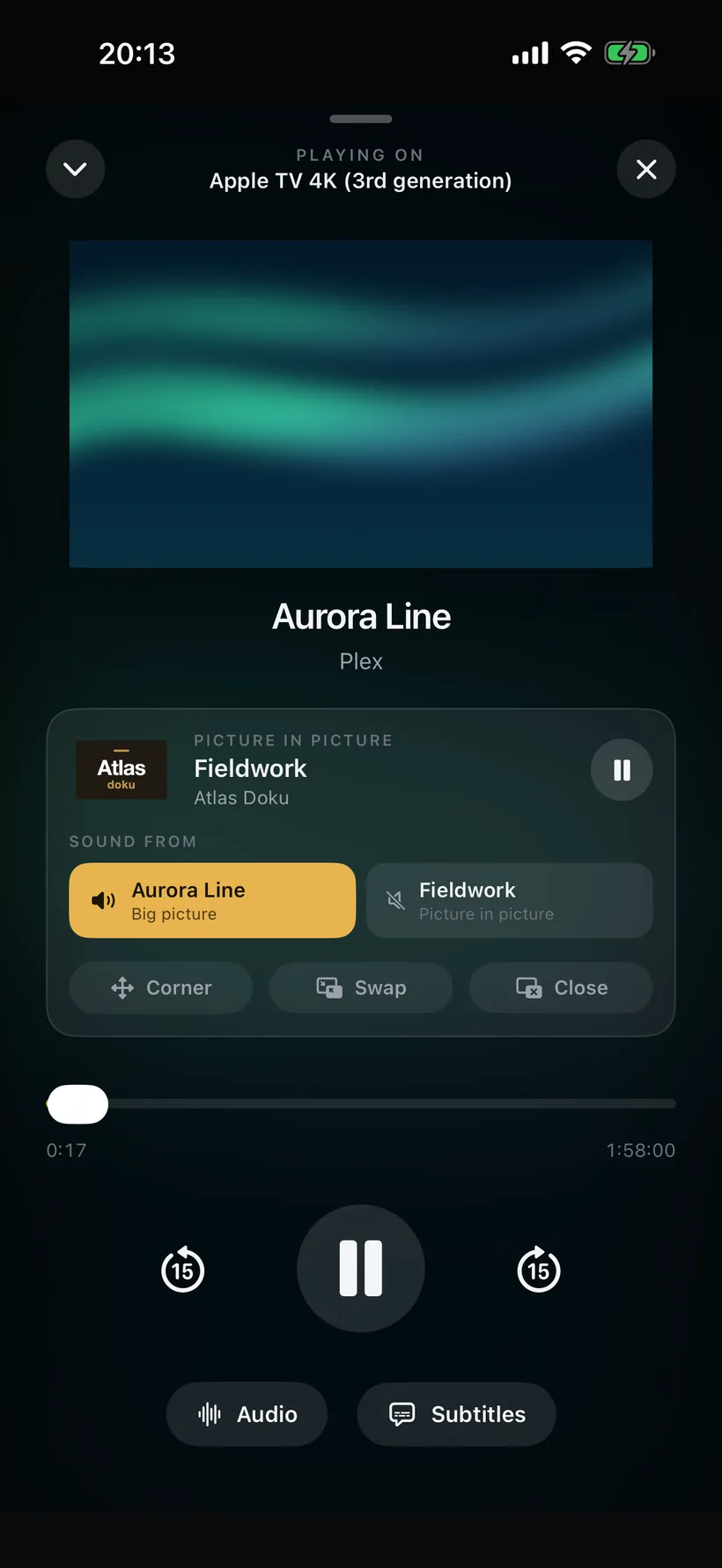
Interlace runs natively on Apple TV: the same library, channels and guide, laid out for the remote. Pick the Apple TV from your phone, and the phone becomes the remote — scrubbing, audio and subtitle tracks, pause, all from the sofa.

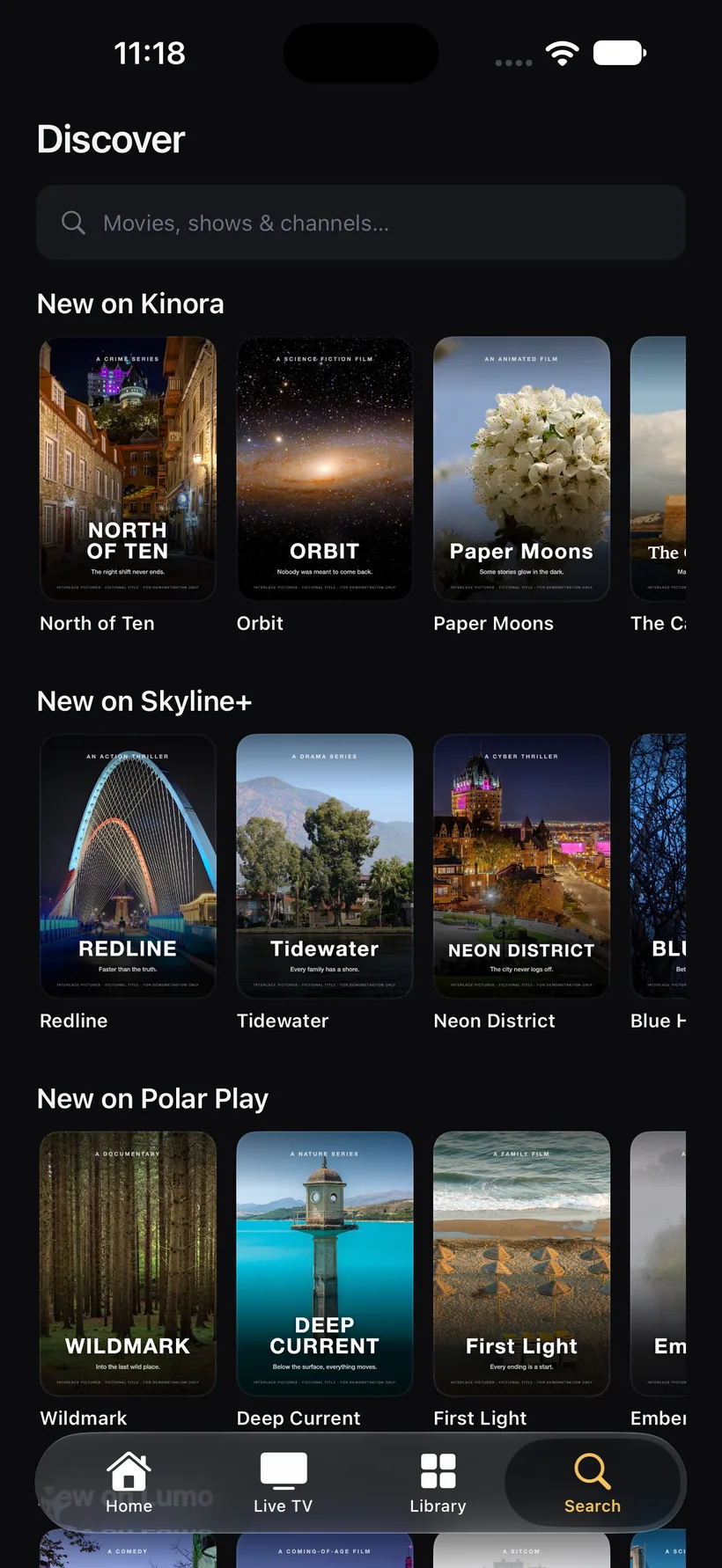
Discover what is new on your services
Add your free TMDB key, switch on Netflix, Prime Video, Disney+, Apple TV+ and others, and Interlace shows what is new on each, tells you where a title streams in your region, and opens it in the right app. Data by TMDB and JustWatch.
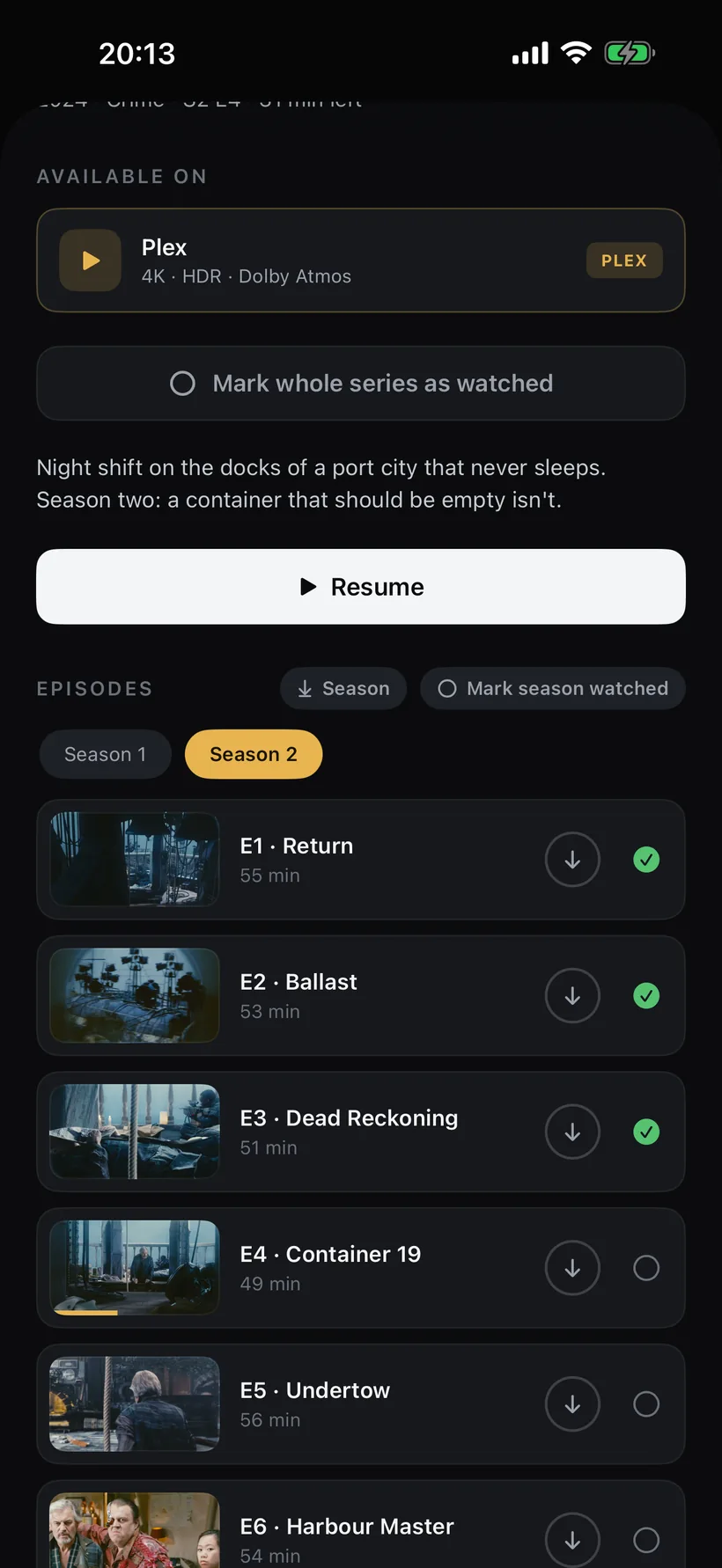
Watch offline, anywhere
Download films and episodes from your Plex server or your IPTV provider's catalogue and watch them without a connection — on a flight, on holiday, wherever the Wi-Fi isn't. On iPhone, iPad and Mac.
Made for iPhone Duo
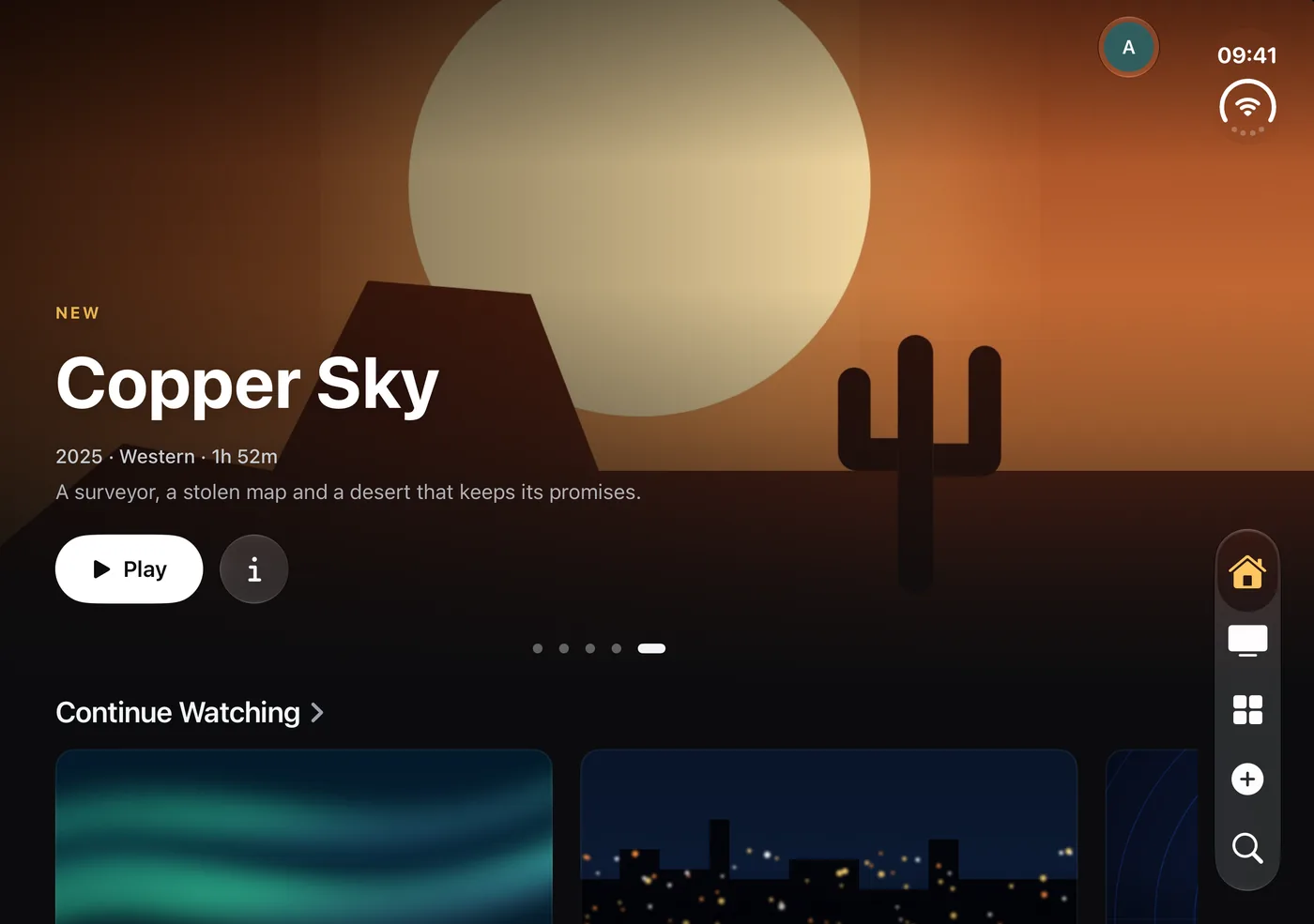
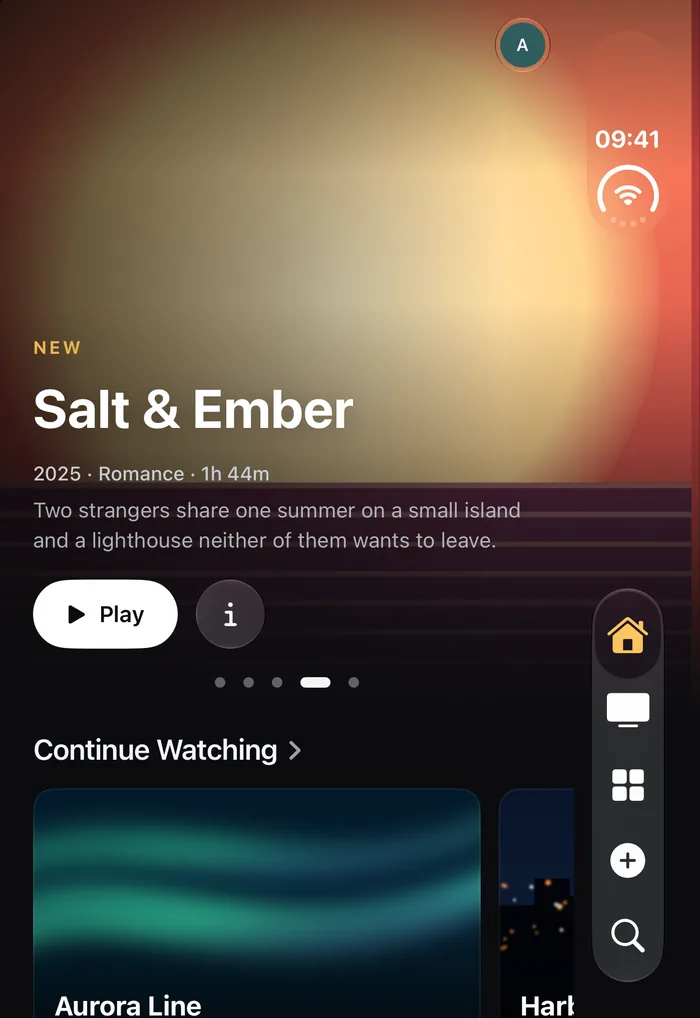
Folded, Interlace is a phone. Open it and the same Home turns into a small big screen: artwork from edge to edge, rows and buttons that stay clear of the side tab bar, and a guide with room to breathe — on the outer and the inner display.
Half open, it's the remote
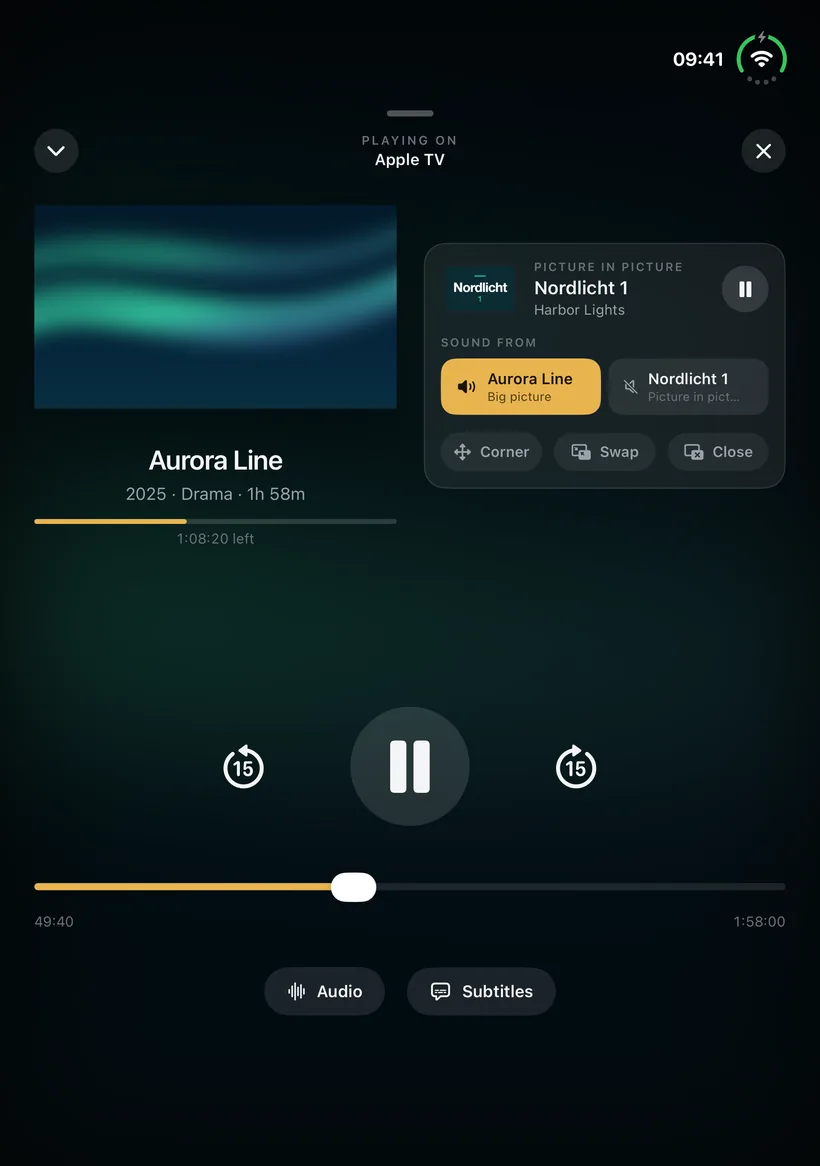
Stand the iPhone Duo up like a tiny laptop while it controls your Apple TV: what's playing — artwork, progress, the picture-in-picture corner and which one has the sound — sits above the fold, big controls lie below it. Open it flat or fold it, and the remote goes back to its usual layout.
New in 1.3 and 1.3.1
Multiview
Up to four live channels from your IPTV playlists at once. The layout follows the number of channels and the screen, and on Apple TV the sound follows the focus.

Jellyfin and Emby
Connect your Jellyfin or Emby server instead: the same Home, library, player and downloads, with watch state in sync. Or use no media server at all and just IPTV.
Several IPTV playlists
Add more than one provider side by side. Each keeps its own connection limit, so a multiview never asks for more streams than your plan allows.
Favourites everywhere
Put your favourite channels in your order once. They play from any playlist that carries the channel and stay in sync between iPhone, iPad, Mac and Apple TV.
Dolby Atmos
Plex films with Dolby Atmos in Dolby Digital Plus play with Atmos on Apple TV and an Atmos sound system.
Every device is a remote
Not just iPhone to Apple TV: any iPhone, iPad, Mac or Apple TV plays on and controls any other, paired once with a four-digit code.
Downloads in the background
On iOS 26, downloads keep going after you leave the app, with the progress shown at the top of the screen.
Tidier Live TV
Pick one playlist, hide the groups you never watch, and the channel list and guide show only what you care about.
Set it up in a few minutes
IPTV on Apple TV
Watch your M3U playlist on the big screen, with groups, guide and live pause.
Read the guide →Xtream Codes
Add your provider's Xtream login on Apple TV, iPhone, iPad or Mac.
Read the guide →Plex and IPTV together
Your library and your live channels in one Home, one search, one player.
Read the guide →Programme guide (EPG)
Add an XMLTV guide and see what's on now, next and tonight.
Read the guide →Free for 30 days. Then yours for 14,99 € a year or 39,99 € once.
One purchase for iPhone, iPad, Apple TV and Mac, Family Sharing included. Connect your Plex server, your own IPTV provider, or both — each one is optional. No accounts with us, no tracking, nothing sold. Remote streaming from a Plex server needs a Plex Pass on that server or a Remote Watch Pass — Plex's rule, not ours.