Set up your IPTV programme guide
A programme guide turns a channel list into television. Interlace reads XMLTV guides (EPG) on iPhone, iPad, Apple TV and Mac — from your provider, from your Xtream login or from a feed you add yourself.

Where the guide comes from
- M3U playlist: enter your provider’s guide address in “EPG / XMLTV URL (optional)”. If the address is listed inside your playlist, copy it into this field.
- Xtream Codes: the guide comes with the login — nothing to enter.
- Your own feeds: “Additional EPG URLs (optional)” fills channels the provider guide doesn’t cover, matched by channel name. List several URLs separated by spaces.
Compressed guides (.xml.gz) work too. On iPhone, iPad and Mac you can also use “Import guide file…”. Interlace doesn’t provide any channels — you bring your own IPTV provider and playlist.
Add an XMLTV URL
- Open Settings › IPTV. On iPhone tap your profile picture at the top of Home; on iPad and Mac use the gear button; on Apple TV open the Settings tab.
- If IPTV is already connected on iPhone, iPad or Mac, tap “Edit playlist”.
- Paste the guide address into “EPG / XMLTV URL (optional)” (M3U) or “Additional EPG URLs (optional)”.
- Tap “Save & reload” — or “Connect” if this is your first setup.
- Open Live TV › Guide. Settings › IPTV shows when the guide was last updated.
Interlace matches guide entries to channels by the playlist’s tvg-id, and by channel name where the id finds nothing.
What the guide shows
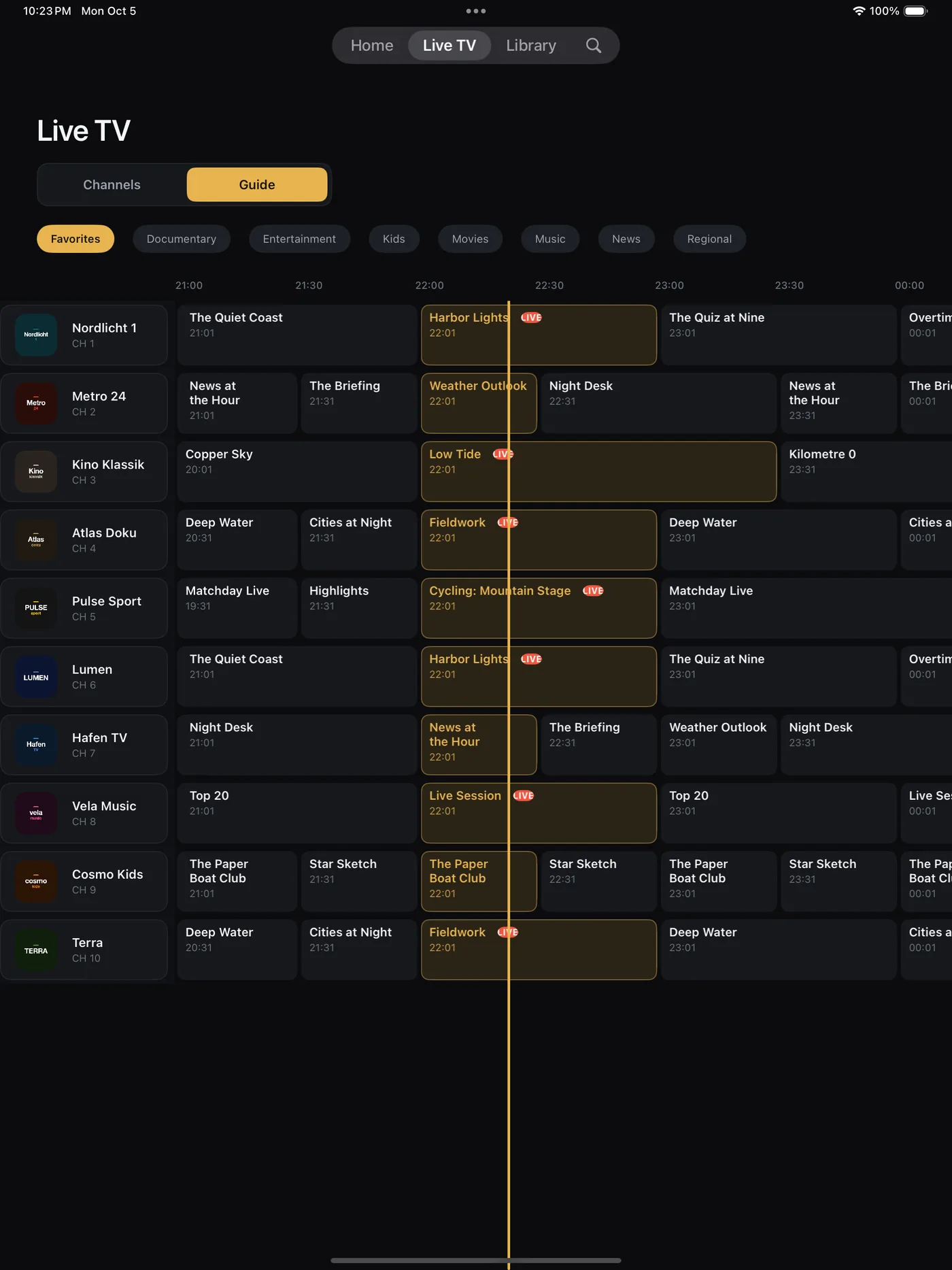
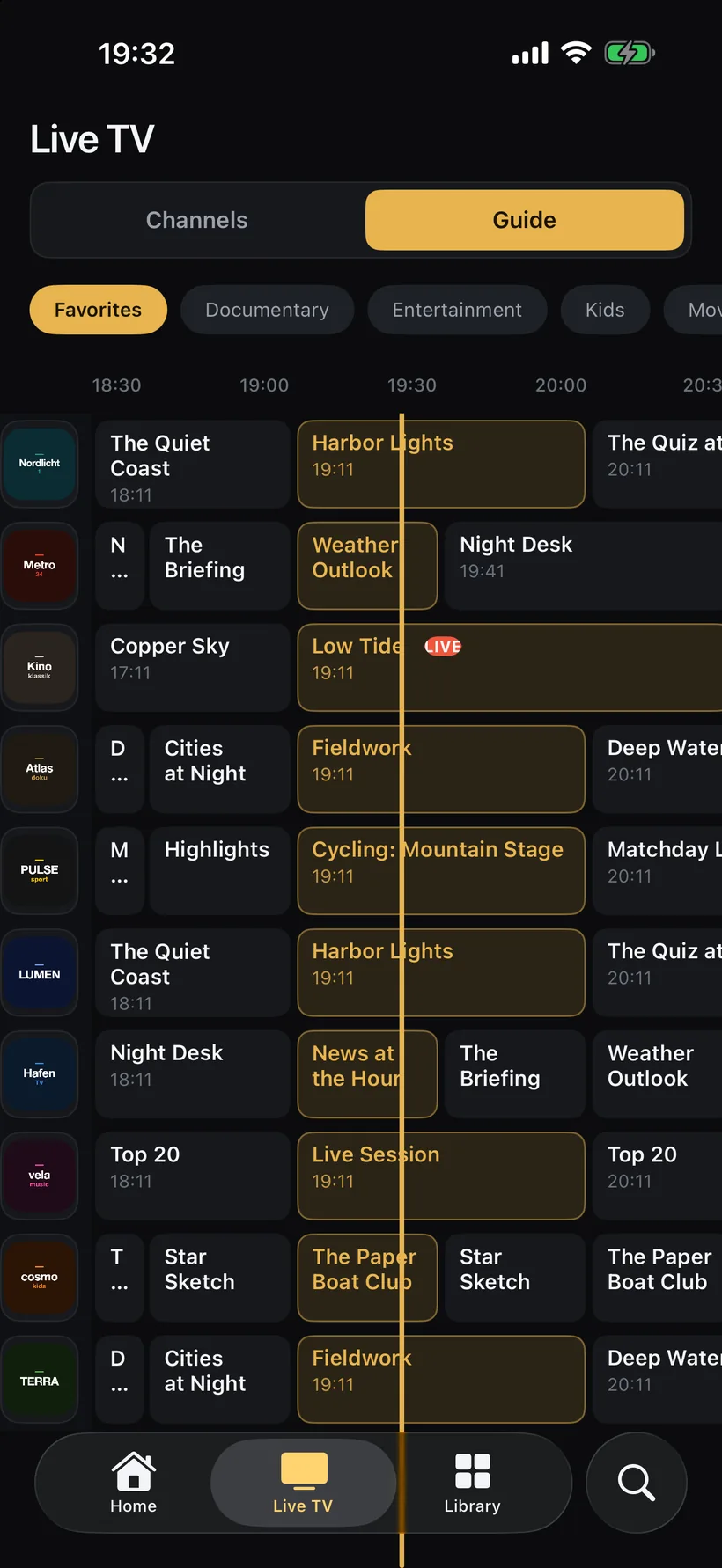
- A classic grid: channels on the left, a timeline in half-hour steps, a line at the current time and the programmes on air highlighted.
- Filters for your favourites and your provider’s channel groups.
- Tap a programme to tune in. Press and hold for “Programme details”: time, length and the description from the guide.
- Replay: with “Catch-up & replay” on, past programmes your provider archives show ↺ REPLAY and play from the start.
- Now and next everywhere: channel cards show minutes left and what’s next, Home lists On your channels tonight, and the player has a Guide button.
FAQ
01A channel says “No guide info”. What now?
The guide has no entries for that channel’s tvg-id or name. Check that the guide URL opens in a browser, or add a feed that covers the channel under “Additional EPG URLs (optional)”.
02Can I use more than one guide?
Yes. The provider’s guide comes first; any number of extra XMLTV URLs, separated by spaces, fill the gaps.
03Does the guide work on Apple TV?
Yes. The same guide is in the Live TV tab under “Guide”, and your setup can come over from iPhone or iPad with “Sync from iCloud”.
04Do compressed XMLTV files work?
Yes. Gzip-compressed guides (.xml.gz) are unpacked on the device.
Know what’s on before you switch.
Free for 14 days. Then 14,99 € a year or 39,99 € once — one purchase for iPhone, iPad, Apple TV and Mac, Family Sharing included.